
The Complete Project Source Code Platform

Kashipara.com is a community of ONE million programmers and students, Just like you, Helping each other.Join them. It only takes a minute: Sign Up

Job Resume Template

QR Code Scan Image project in JSP.

JSP project   Last updated on - March 26, 2018
Kishor Kadam
Kishor Kadam
Java MySQL Bootstrap jQuery JavaScript Ajax HTML-5 
0 Reviews
0
7156 View
249 Downloads
 7156
 0
 249

About project

project Name

QR Code Scan Image

Project Complexityadvanced
Duration15 Days
project ID2137
Developer NameKishor Kadam
Publish DateMarch 26, 2018
project PlatformJSP
Programming LanguageFor this particular JSP project, Servlet/JSP/HTML is required
Front EndHTML, CSS, JS, Bootstrap
Back EndJAVA, MySQL, Oracle, MariaDB
IDE ToolEclipse Neon
Database Integrationno database
project Typeweb Application
No of project Download249
project Total View7156
Today Trends609
Current Month Trends633
Last Month Trends57

You have any error or you don't understand project follow or any other problem.You can ask question. you know any answer or solution then give a answer and help other student.Complete they project perfectly.

Download QR Code Scan Image source code

Click the Download Button Below to Start Downloading

Download QR Code Scan Image source code at free of cost. Download link provide below.

Download Code
File size 0.3125 MB

Project Share and Earning Policy

Download QR Code Scan Image document

Download QR Code Scan Image Document PDF link below

Download PDF
File size 0.0084 MB

Click Here For Project Document PDF Format.

Telegram channel

WhatsApp channel

Subscribe us on youtube

Features of the QR Code Scan Image project

We will implement the following feature in the JSP QR Code Scan Image Project:
Generate QR Code for entering text in this project. you will get after entering text one QR Code, you will make own QR Code by using this code.

User modules and function of QR Code Scan Image

We will implement the following functionalities in the JSP QR Code Scan Image Project:

Software requirement to run this project

Platform : Jakarta EE 11 support with Java SE 21 Install a Java Development Kit (JDK). Please make sure you have Java SE 11 or higher (we have tested with Java SE 11 and Java SE 17). Install an application server that supports Jakarta EE. Install Maven 3 or higher. Install DBMS - MySQL, Oracle, MariaDB as project requirements. Create a new project with Eclipse Starter for Jakarta EE.

Hardware requirement to run this project

Processor : A multi-core processor ( Intel Core i5 or i7, AMD Ryzen 5 or 7) for faster compilation and running IDE smoothly. RAM : Minimum requirements 8GB RAM is recommended for comfortable development. More RAM (16GB or higher) may be beneficial for larger projects or if running multiple applications simultaneously. Storage : SSD for fast read/write, HDD Operating System : Windows, macOS, Linux

How to install the project?

After you finish downloading the project, unzip the project file.

Import project in java eclipse and run it.

How to import database?

no database

Why a download QR Code Scan Image project from kashipara?

Downloading the QR Code Scan Image project from Kashipara is a best choice for students, beginners, and developers looking for a reliable, well documented, and ready to use project in JSP.

Top benifit to Download our project over other website:

  • Our QR Code Scan Image Source Code in JSP completly working. This project easy to understand and fully customizable as per your requriments.
  • Free Download our QR Code Scan Image projects.
  • Comprehensive Documentation:
    • We provide project Synopsis
    • QR Code Scan Image project Abstract in PDF and PPT formats download in reports.
    • Detailed Project Report
  • UML & Technical Diagrams Included:
  • This project Ideal for Academic Projects Perfect for B.E., B.Tech, MCA, BCA, BSc CS, and IT students
  • 100% Working Project – Tested and bug free.
  • Developed for Learning & Research – A strong foundation for building advanced QR Code Scan Image applications

How to create diagram?

Creating diagrams like Class Diagrams, Use Case Diagrams, Entity–Relationship (ER) Diagrams, Data Flow Diagrams (DFD), and Sequence Diagrams is essential for designing and understanding software systems. Here’s a proper guide to help you get started with each type:
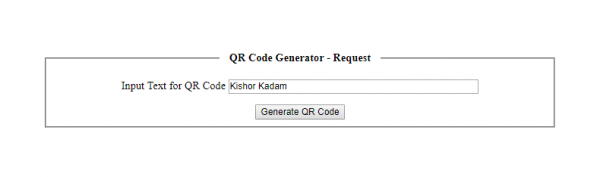

QR Code Scan Image project output screen

output screen
output screen

Rate and Review

0
0
 0 Total Reviews

programmer reviews

What our programmer says about project
























